
Tile, tileset, tilemap
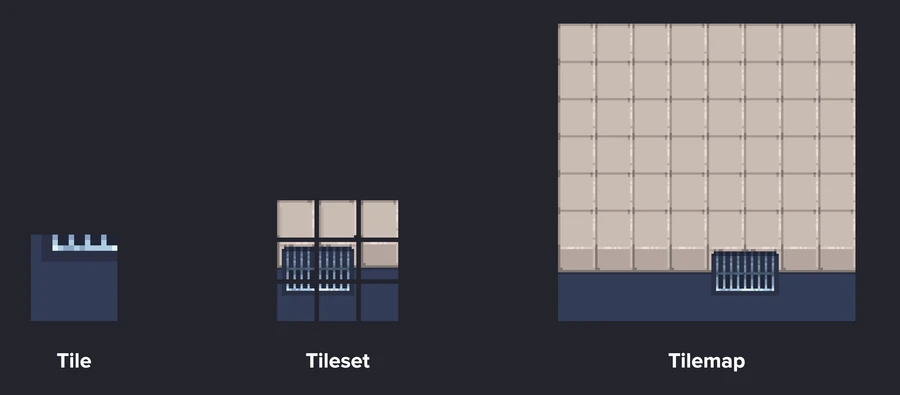
- Tile: a small sprite, a piece of the puzzle. Here every tile is 16 by 16 pixels.
- Tileset: a collection of tiles that shows a whole object or part of one: the grating, a piece of pavement, a piece of road.
- Tilemap: the bigger composition built from tilesets: the ground, the terrain, the whole level.
Why we need them
Can you imagine drawing every tile of a level by hand? Tiles speed up and automate the work. You draw one small artwork and reuse it everywhere. And when you change one tile in the set, the change shows up in every place it's used, without touching each copy by hand.
One tileset, many tilemaps
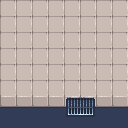
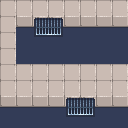
Both maps use exactly the nine tiles you just drew. In Aseprite: paste the tileset on a canvas that fits the grid, right click the layer and choose Convert to Tilemap. Then you paint with whole tiles. In manual mode, editing one tile changes every copy of it. In auto mode, editing a placed tile creates a new one and leaves the others alone.
Make tiles that tile
The tiles have to fit the grid exactly, by size and by layout, or the editor can't slice them. And the edges have to match: the pixels on the right edge of one tile continue on the left edge of the next. Place four copies side by side and look for a seam. If you see one, fix those edge pixels. Then try your own set: recolor the stones, add a second grating, or redo it with the bricks from the brick wall lesson.